
Better Campus (prev. Better Canvas) – Chrome & Firefox
Get dark mode, GPA calculator, themes, and many other features with the Better Canvas extension. Get BetterCampus and upgrade your Canvas now.
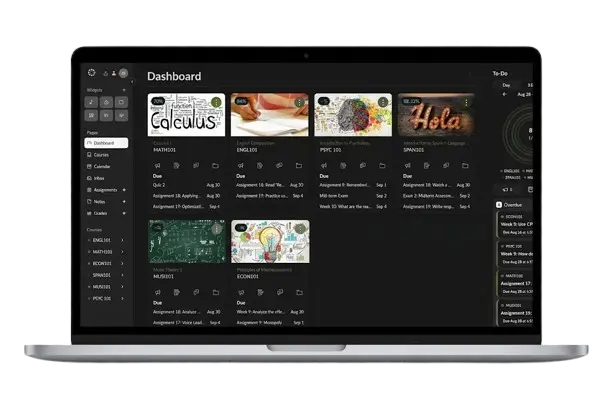
Better Campus – 1.5M+ Students Choice
Get dark mode, GPA calculator, themes, and many other features with the Better Canvas extension. Get and upgrade your Canvas now.
Why Students Use Better Campus
Canvas LMS doesn’t include dark mode, a GPA calculator, or a clean to-do list by default. Better Campus extension adds all three, plus custom themes and dashboard upgrades, right inside your existing Canvas account.
It started as a simple dark mode extension to reduce eye strain during late-night study sessions. Students then asked for more, so it grew: a GPA calculator that works for college and high school, custom themes built by the community, and a smarter to-do list that separates upcoming, due, and overdue assignments.
If you study in Florida, where the State University System runs its courses on Canvas, some of those assignments come from business and entrepreneurship classes built around real companies. A common task is checking how a Florida company is registered, including its status, filing date and officers, before writing a case study. Those records are public, and you can check them with a free Sunbiz business entity search.
Better Campus extension doesn’t change how Canvas LMS works. Your grades, courses, and assignments stay exactly where Instructure stores them. The extension only changes how Canvas looks and feels in your browser, and you can turn any setting on or off from the extension menu without reloading the page.
The extension requests only the browser permissions needed to run on Canvas pages — it doesn’t ask for access to your email, files, or other browsing activity. Every feature can be checked in the Chrome Web Store listing before you install.
Better Campus extension is an independent project built by students. It isn’t affiliated with or endorsed by Instructure or Canvas LMS.
Better Campus vs. Default Canvas
Here’s exactly what Better Campus adds on top of your existing Canvas account.
| Feature | Default Canvas | Better Campus Extension |
|---|---|---|
| Dark Mode | Not built in | Yes, fully customizable |
| GPA Calculator | Not built in | Yes, supports 4.0 and 5.0 scales |
| Custom Themes | Not available | Yes, community-made themes |
| To-Do List | Basic list | Sorted by due, upcoming, overdue |
| Dashboard Notes | Not available | Yes |
| Cost | Included with school license | Free |
| Open Source | No | Yes, public GitHub repo |
Better Campus: Facts & Figures
Key facts about the Better Campus extension, sourced from its official Chrome Web Store and GitHub listings.
Sourced from the official Chrome Web Store and GitHub listings. Figures may update over time.
Is Better Campus Safe to Use?
Short answer: yes. We get why you’re asking — your Canvas account holds your grades, deadlines, basically your whole semester, so it’s smart to be careful about what you install.
Better Campus only changes how Canvas looks and feels in your browser. It needs access to Canvas pages so its features can work, and nothing more. It doesn’t read your email, your files, or anything else you do online.
If you want proof instead of just our word for it, the code is open source on GitHub, so anyone can check exactly what it does. It’s also listed under its official developer account on the Chrome Web Store, with no history of policy violations.
Your grades, courses, and account data stay with Canvas and Instructure. Better Campus doesn’t touch any of it, it just makes it look better.
Get Better Campus & Upgrade Your Canvas
A simple guide about how to Install and use the Better Canvas extension:
Download Better Canvas
- First of all, download and install the Better Campus form above.
- Install as per your browser.
- Click ‘Add to Browser,’ then confirm the installation.
Open Your Canvas
- Go to your Canvas LMS login page.
- Enter your students’/ school credentials.
- Access your dashboard normally.
Canvas Activation
- No manual activation is required.
- Extension runs automatically in the background.
- Your canvas interface will be upgraded.
Start using Better Campus Canvas
- Your canvas is ready to upgrade.
- Enable dark mode for easy reading.
- Customize your canvas easily.
- Using old version? Click here to update BetterCampus.
Simply follow the above steps to add Better Canvas to your canvas easily. Check this guide if BetterCampus not working.
Enhance Your Canvas With Better Campus Features
Enhance your learning experience with these valuable features of the Canvas Better extension for Chrome and Firefox browsers.
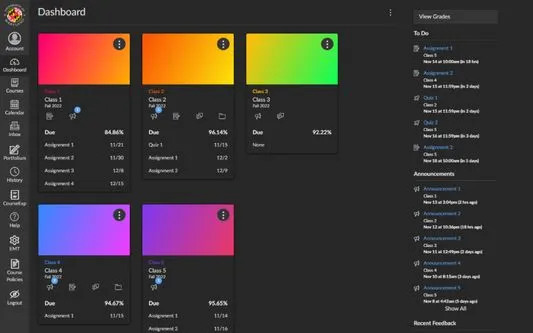
Clean & Comfortable Dark Mode
Switch to a smooth dark mode that transforms your Canvas into a clean, modern workspace. It’s designed to look better and feel easier on your eyes from the moment you turn it on.
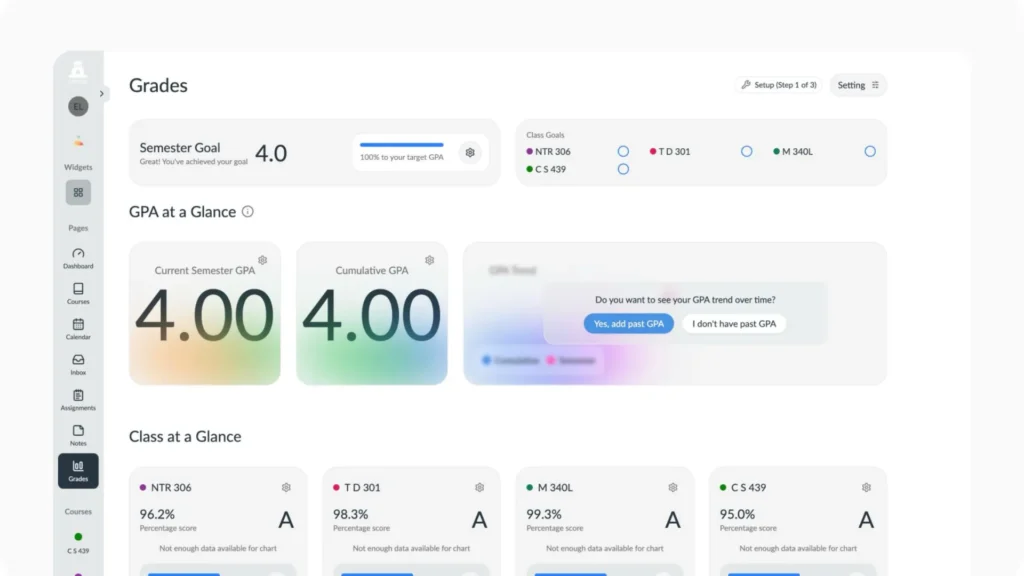
Accurate GPA Calculator
Easily calculate your GPA by automatically converting your grades into accurate results based on your course scores. It updates instantly and even lets you test different grade scenarios to see how future marks can impact your overall GPA.
Use it to track your progress and test what-if scenarios. For anything that affects your official record, always double-check with your Canvas gradebook or academic advisor.
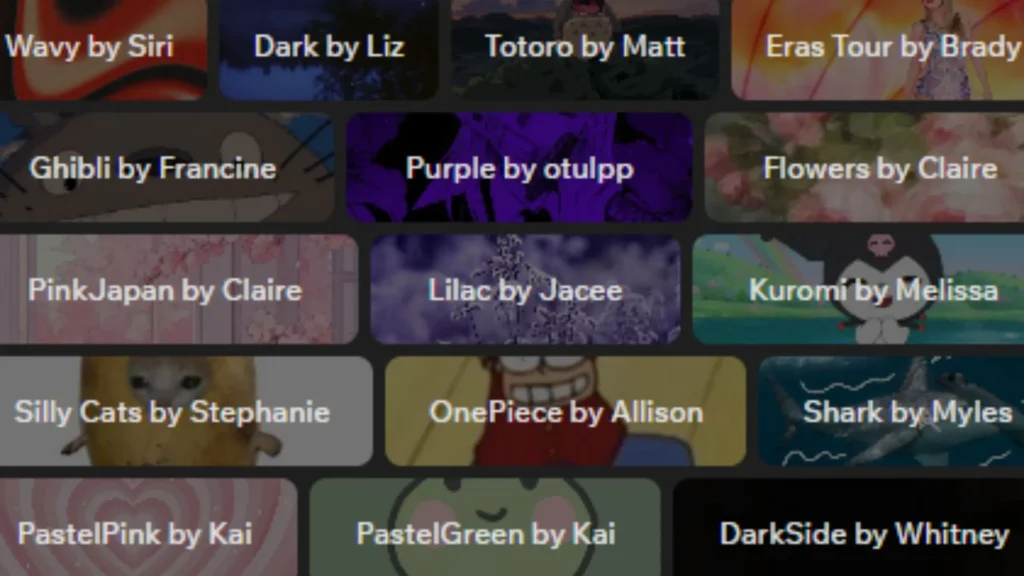
Unique Themes for Canvas
Customize your dashboard with Better Canvas themes. The extension offers clean, modern designs to make Canvas look more personal and organized to improve your overall study experience.
Learn more about how to make Better Canvas themes.
To Do List
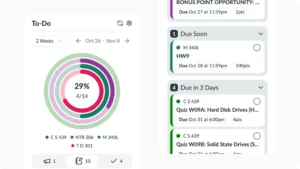
Stay on top of your work with the to-do list. It organizes assignments by due date, tracks your progress in real time, and keeps everything neatly structured. The to-do list ensures you never miss important tasks or deadlines.
Along with these helpful features, the extension offers additional Canvas improvements. You can fully customise and edit Better Canvas and bring your Canvas to next level.
Better Canvas – Trusted By 1.5M+ Students
The extension has been used by over 1,500,000 students worldwide, making it a trusted tool in the global student community. Here’s what students have to say about the Canvas extension:
Stuck Somewhere? We Can Help
Having issues in any stage, downloading, using, updates, or anything else, contact the support team now. You can also watch and read helpful tutorials.
Frequently Asked Questions
Ready To Transform Your Canvas?
Better Canvas is the only extension that transforms your Canvas into a more powerful and user-friendly learning space. It enhances your study experience with useful features like Dark Mode, GPA Calculator, Custom Themes, To-Do List, Reminders, and much more.
Just install the extension and start exploring a smoother, smarter, and more efficient way of learning.